◆ THE COMPLETE OVERVIEW

AI social media automation.
Posts made and published automatically.

AI social media automation means handing the recurring work — ideas, captions, images, video, and posting — to software, so your accounts stay active without you touching them every day. This is the overview: what it is, what can and can't be automated, and how to put it into practice.

Start free →no card · 2 min setup
PostOtter run on PostOtter — setup, a week of posts, and what actually went out.

◆ MADE BY POSTOTTER, FOR POSTOTTER

Real posts on our own accounts. Your free week looks like this.

Same brand, three different posts. Instagram and TikTok share the render; the captions don't. Each one is written native to the platform it's on, and the hashtags are weighted the way that platform's discovery actually works. That is why Instagram gets ten and X gets two.

Instagram@postotter.app
story-led · 10 tags to surface on Explore

Here is the plain version of what PostOtter does. 1) You drop in your website URL. PostOtter reads it to learn your brand voice, what you sell, and how you talk. 2) You connect your accounts. Instagram, TikTok, and X. That is it.

#socialmediamanager#marketingautomation#smallbusinessowner#solopreneur#founderlife#brandvoice#instagramreels#tiktokmarketing#PostOtter#PostOtterAISee it on Instagram
TikTok@postotter
hook-first · 8 tags

You're juggling a line out the door, and your “scheduler” is still waiting for you to write the post. That is not help. PostOtter learns your brand voice from your website, then creates, schedules, and publishes a post every day to X, Instagram, and TikTok.

#socialmediamarketing#smallbusinessowner#solopreneur#contentmarketing#instagramreels#tiktokmarketing#marketingautomation#PostOtterSee it on TikTok
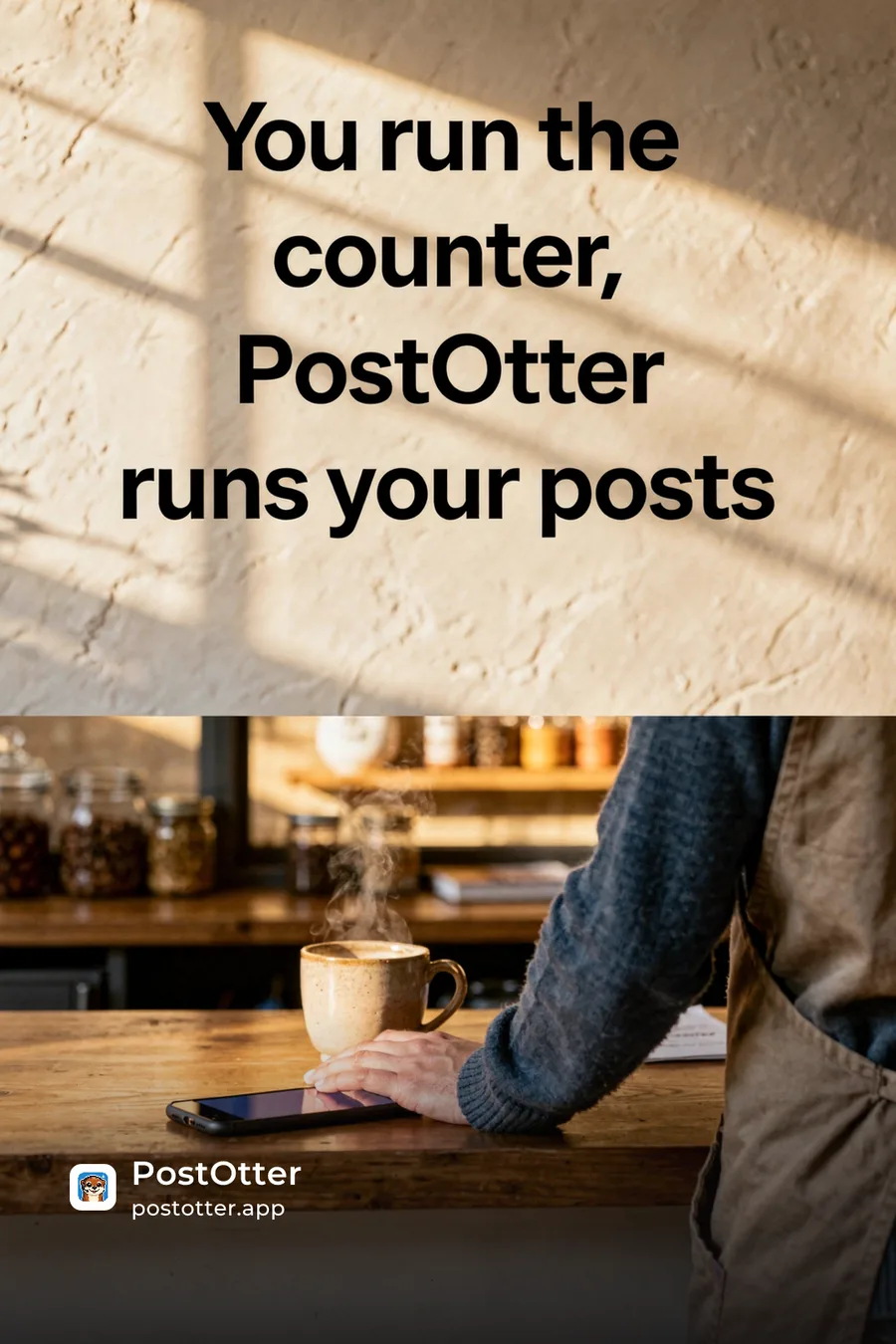
X@postotter_app
PostOtter's X post: a café counter under the line “You run the counter, PostOtter runs your posts”.
short + punchy · 2 tags, no stuffing

You open a scheduler and it just stares back, waiting for a caption you don't have. So you post nothing. Again. PostOtter isn't a scheduler—it creates, schedules, and publishes daily to X/IG/TikTok (images + real Reels/TikTok video). Try it today.

#smallbusinessowner#PostOtterSee it on X

we didn't lift a finger: no captions written, no hashtags picked, no content made, no times set, nothing published by hand

but every one of them was ours to change first: rewrite the caption, swap the hashtags, upload your own photo or video, move it to another day. and so is every post you get.

That week was generated, not written.

Point PostOtter at your website and it learns the brand, then writes, makes and posts every day across Instagram, TikTok and X. First week free.

Start free →no card · 2 min setup · cancel anytime

What automated social media posting covers

Posting isn't one task — it's a chain: generating ideas, writing a caption for each platform, creating an image or video, publishing at a sensible time, and not repeating yourself. Schedulers automate only the last link. True automation covers the whole chain, including the hard, time-consuming parts of creating the content. For the practical, step-by-step version, see how to automate social media posting for a small business.

In practice that means a week of posts arriving already finished: a caption written for the platform it is going to, hashtags picked for it, an image or a vertical video made for it, and a time on the calendar. Instagram and TikTok get video every day; X gets an image. You open the week, change whatever you want changed, and leave the rest alone.

Social media auto posting is not just scheduling

The word covers two very different products. A scheduler takes posts you have already made and publishes them later — the calendar is the product, and it works only while you keep feeding it. Automation in the fuller sense starts earlier, at the blank page, and produces the post itself.

The difference shows up on the week you get busy. A scheduler's queue empties and the account goes quiet; nothing is broken, there is simply nothing left to publish. That is the failure worth designing against, because the weeks you have no time are exactly the weeks consistency is hardest to protect.

What you should keep human

Automation should not mean abdication. High-level strategy and real-time, reactive content still reward human judgment, and brand voice needs a hand on the wheel. The strongest setups automate the daily grind and keep you in the loop for direction — we go deep on this in can AI manage your social media?

The line sits at whether something needs to know about today. A delay, a sold-out item, a reply to someone in your comments — that is yours, and it always will be. The work that looks roughly the same every week is the part worth handing over. Every post arrives as a draft you can edit before it goes out, which is what keeps the first category possible at all.

Why businesses automate it

Consistency is what makes social media work, and it's the first thing to slip when you're busy. The usual fix — hiring a manager or agency — is expensive for what is mostly repetitive work. Automation delivers the same consistency without the salary. More on that in posting consistently without hiring a social media manager.

The arithmetic is the other half of the argument. A manager or an agency is a salary or a monthly retainer, largely for work that repeats; PostOtter is $14.99 a month, flat. That gap only means anything while the automated version is genuinely good enough to publish — which is the reason the drafts are editable rather than final, and the reason this page shows you real posts above rather than describing them.

Automation by use case

Whatever you're trying to put on autopilot, there's a way in:

AI social media manager for small businessReplace the day-to-day work of a social media manager — without the salary.Learn more →Do you need to hire a social media manager?What a manager or agency costs, and when a small business doesn't need one.Learn more →Done-for-you social media postsOutsource the whole job — written, made, and posted — without an agency.Learn more →Auto-post Instagram & TikTokGenerate real Reels and TikTok video and publish them automatically.Learn more →Instagram post schedulerSchedule Instagram when the Reel does not exist yet — it gets made.Learn more →TikTok schedulerSchedule TikTok when the video does not exist yet — it gets made.Learn more →TikTok AI video generatorGenerates a TikTok video a day from your website, and posts it.Learn more →Social media schedulerOne queue for Instagram, TikTok and X — and it fills itself.Learn more →Twitter (X) schedulerGenerate and schedule tweets automatically, with images.Learn more →AI social media for agenciesRun a separate brand for every client you manage, from one login.Learn more →Social media automation for SaaSTurn a product website into daily posts, and film your own screens.Learn more →Social media automation for mobile appsVertical video from your app's own screens, posted every day.Learn more →AI tool marketingAI apps and AI SaaS kept visible long after launch day.Learn more →Shopify app marketingMerchant-facing posts for Shopify app developers and studios.Learn more →Developer marketingPlain, specific posts for dev tools, APIs and SDKs.Learn more →Chrome extension and plugin marketingBrowser extensions and WordPress plugins found outside the store.Learn more →Social media for indie hackersKeep posting through the weeks you have nothing left to give it.Learn more →Social media for startupsCompany accounts kept posting while the team ships.Learn more →Pre-launch marketingWeeks of posts from a coming-soon page, before launch day.Learn more →Build in publicYour updates in your words, product posts in between.Learn more →Real estate social media automationReal estate social media on autopilot: written, scheduled and auto-posted.Learn more →Restaurant social media automationRestaurant social media on autopilot: written, scheduled and auto-posted.Learn more →Social media for photographersCaptions and scheduling done for you, with your own shots on the grid.Learn more →Salon social media marketingSalons, stylists and barbers posting every week from behind the chair.Learn more →Dental social media marketingPractice posts drafted and published while you treat patients.Learn more →Med spa social media marketingTreatment posts for med spas and aesthetic clinics, every week.Learn more →Social media for coachesLife, business and health coaches posting through full client weeks.Learn more →Ecommerce social media marketingProduct posts for Shopify stores and online brands, every week.Learn more →Hotel social media marketingHotels, B&Bs and resorts posting through high season.Learn more →Gym social media marketingGyms, studios and trainers posting every week from the floor.Learn more →Social media marketing for schoolsSchool life on Instagram, TikTok and X, with consent built in.Learn more →Nonprofit social media marketingYour mission told every week, with more budget left for it.Learn more →Social media for lawyersPlain-language posts for firms, every word open to review.Learn more →Social media for contractorsJob-site work posted for builders, plumbers, roofers and more.Learn more →Automação de redes sociais (Português)A mesma automação, para negócios no Brasil.Learn more →Social Media Automatisierung (Deutsch)Dieselbe Automatisierung, auf Deutsch.Learn more →Automatisation réseaux sociaux (Français)La même automatisation, en français.Learn more →Sosyal medya otomasyonu (Türkçe)Aynı otomasyon, Türkçe.Learn more →Automatizar redes sociales (Español)La misma automatización, en español.Learn more →Social media automatiseren (Nederlands)Dezelfde automatisering, in het Nederlands.Learn more →Automazione social media (Italiano)La stessa automazione, in italiano.Learn more →Ferramenta para agências de social media (Português)Mais clientes na carteira, sem aumentar a equipe.Learn more →Herramienta para agencias de redes sociales (Español)Más clientes, con el mismo equipo.Learn more →Social Media Tool für Agenturen (Deutsch)Mehr Kunden, ohne mehr Personal.Learn more →Outil réseaux sociaux pour agences (Français)Plus de clients, avec la même équipe.Learn more →Software social media per agenzie (Italiano)Più clienti, con lo stesso team.Learn more →Social media tool voor bureaus (Nederlands)Meer klanten, met hetzelfde team.Learn more →Ajanslar için sosyal medya aracı (Türkçe)Aynı ekiple daha fazla müşteri.Learn more →Redes sociais para SaaS (Português)Posts e vídeos do seu produto, no automático.Learn more →Redes sociales para SaaS (Español)Tu producto, publicado y en vídeo, en automático.Learn more →Social Media für SaaS (Deutsch)Dein Produkt, als Video, automatisch gepostet.Learn more →Réseaux sociaux pour SaaS (Français)Votre produit en vidéo, publié automatiquement.Learn more →Social media per SaaS (Italiano)Il tuo prodotto in video, pubblicato in automatico.Learn more →Social media voor SaaS (Nederlands)Je product op video, automatisch gepost.Learn more →SaaS için sosyal medya (Türkçe)Ürününüz videoyla, otomatik olarak paylaşılır.Learn more →Divulgar aplicativo nas redes sociais (Português)Vídeo vertical do seu app, publicado no automático.Learn more →Promocionar una app en redes sociales (Español)Vídeo vertical de tu app, publicado en automático.Learn more →App auf Social Media bewerben (Deutsch)Hochformat-Videos deiner App, automatisch gepostet.Learn more →Promouvoir une application (Français)Des vidéos verticales de votre app, publiées pour vous.Learn more →Promuovere un'app sui social (Italiano)Video verticali della tua app, pubblicati in automatico.Learn more →App promoten op social media (Nederlands)Verticale video's van je app, automatisch gepost.Learn more →Mobil uygulama tanıtımı (Türkçe)Uygulamanızın dikey videoları, otomatik paylaşılır.Learn more →Programar post no Instagram (Português)Como agendar no app e no PC, e quem cria o post.Learn more →Programar publicaciones en Instagram (Español)Cómo programar desde la app o el PC, y quién crea el post.Learn more →Programmer une publication Instagram (Français)Dans l'app, sur PC, et qui crée la publication.Learn more →Instagram Beiträge planen (Deutsch)In der App, am PC, und wer den Beitrag erstellt.Learn more →Programmare post su Instagram (Italiano)Dall'app, da PC, e chi crea il post.Learn more →インスタ 予約投稿 (日本語)アプリとPCでのやり方、そして投稿を作るのは誰か。Learn more →X 予約投稿 (日本語)PCとスマホでのやり方、そして毎日のポストを作るのは誰か。Learn more →TikTok 予約投稿 (日本語)予約のやり方と、投稿時間の考え方。Learn more →インスタ投稿時間 (日本語)曜日別のおすすめ時間と、自分のフォロワーの時間の調べ方。Learn more →SNS運用代行 (日本語)料金相場と、小さなお店に代行がいらない理由。Learn more →Contratar social media (Português)Quanto custa e quando o seu negócio não precisa.Learn more →Jasa admin sosmed (Bahasa Indonesia)Harga jasa sosmed, dan kapan UMKM tidak perlu.Learn more →Sosyal medya hizmeti (Türkçe)Hizmet, danışmanlık ya da hiçbiri: küçük işletme için dürüst cevap.Learn more →TikTok-Videos planen (Deutsch)Am PC, in der App, und wer das Video erstellt.Learn more →Como fazer posts no Instagram (Português)Passo a passo, tamanhos e ideias para pequeno negócio.Learn more →Melhor horário para postar no Instagram (Português)Os dias e horas que mais engajam, e onde ver os seus.Learn more →Melhor horário para postar no TikTok (Português)O horário de cada dia da semana, e o do seu público.Learn more →Sosyal medya yönetimi fiyatları (Türkçe)Ajans teklifleri, uzman maaşı ve PostOtter, kaynaklarıyla.Learn more →Jadwal posting Instagram dan TikTok (Bahasa Indonesia)Cara menjadwalkan, jam terbaik, dan konten untuk UMKM.Learn more →Buffer pricingPer channel, the free plan's limits, and what 3, 6 and 10 channels cost.Learn more →Vista Social pricingProfessional, Advanced and Scale, and the X add-on.Learn more →Planable pricingPer workspace, the post caps, and the paid add-ons.Learn more →Publer pricingPer social account, the free plan's limits, and what 3 or 10 accounts cost.Learn more →SocialBee pricingBootstrap, Accelerate and Pro by profile count, and the agency plans.Learn more →Apaya alternativeThe same job as Apaya, with video, for $14.99 instead of $69.Learn more →Ocoya alternativeAn autopilot instead of a credit-metered copilot.Learn more →Predis AI alternativeAuto-posting included at $14.99, not from $40.Learn more →Metricool pricingPer-brand plans, the free tier, and what 5 or 50 brands cost.Learn more →Loomly pricingStarter vs Beyond, and the jump between them.Learn more →SNS運用 (日本語)自社で回すか、代行に頼むか、AIに任せるか。Learn more →Gestión de redes sociales (Español)Hacerlo tú, contratar una agencia o dejarlo en piloto automático.Learn more →Gestão de redes sociais (Português)Fazer você mesmo, contratar agência ou deixar no automático.Learn more →Sosyal medya yönetimi (Türkçe)Kendin yap, ajansa ver ya da otomatiğe bağla.Learn more →Gestion des réseaux sociaux (Français)Le faire vous-même, déléguer, ou passer en pilote automatique.Learn more →Calendrier éditorial réseaux sociaux (Français)Que mettre dedans, un exemple de semaine, et qui remplit les cases.Learn more →Social Media Management Tool (Deutsch)Was die Tools können, und was sie dir nicht abnehmen.Learn more →Redaktionsplan Social Media (Deutsch)Aufbau, Beispielwoche, und wer die Felder füllt.Learn more →

Guides & deep dives

Gym Hashtags: 60 Fitness Hashtags for Gyms, Plus CaptionsSixty gym and fitness hashtags grouped by what they are for, a simple rule for how many to use, and gym Instagram captions to put around them.Salon Hashtags: 60 Hair Salon, Beauty and Barber HashtagsSixty salon hashtags grouped by what they are for, from colour and cuts to nails, lashes and fades, plus a simple rule for choosing a few per post.Business Social Media Strategy: Start From the Business, Not the AppMost social media strategies start with platforms and posting times. A business one starts with what the business needs from social, and works back from there.Instagram Reels Marketing: How a Business Uses Reels to Find CustomersReels are the Instagram format that reaches people who have never heard of you. Here is how a business plans, makes and measures them without a video team.Content Pillars for Social Media: How to Pick Yours (With Examples)Content pillars are the three to five topics your posts keep returning to. Here is how to choose them, with examples for six kinds of business and a weekly rotation.Instagram Business Marketing: Turning Followers Into CustomersGrowing an Instagram account and marketing a business on Instagram are not the same job. Here is how to set up, post and measure for customers rather than followers.How to Manage Social Media for Small Businesses: A Weekly SystemManaging social media for a small business is five jobs, not one. Here is what each involves, a weekly routine that covers them, and how to decide who does what.List of All Social Media Platforms in 2026, Grouped by TypeThere are hundreds of social media platforms, but only a handful matter for most businesses. Here is the full list, grouped by what each one is for, and how to pick yours.TikTok Content Calendar: A Posting Schedule You Can KeepA TikTok content calendar is mostly a decision about how often you can really post, and what goes in each slot. Here is a simple one, with a template you can copy.Social Media Content Creation Tools: What to Use for Each JobMost lists of content creation tools for social media rank thirty apps. This one sorts them by the job they do, so you can build the smallest kit that covers yours.Social Media Optimization (SMO): A Practical Guide for 2026Social media optimization is the unglamorous work that makes every post count for more. Here is what it covers, and a checklist you can work through in an afternoon.Social Media Branding: How to Look and Sound Like One BrandSocial media branding is what makes a post recognisably yours before anyone reads the name. Here is how to define it, and how to keep it consistent when you are busy.Real Estate Hashtags: 60 Tags and How to Use ThemSixty real estate hashtags grouped by what they are for, a simple rule for how many to use, and how to write the caption around them.Real Estate Video Marketing: Reels, TikTok and WalkthroughsVideo is how most people now browse homes and choose agents. This is what to film, how to shape it for Reels and TikTok, and how to keep it going.Real Estate Instagram: How Agents Use It to Get ClientsInstagram is the natural home for real estate. This is how agents set it up, what they post, and what the strongest accounts have in common.Real Estate Social Media Posts: 30 Post Ideas for AgentsThirty real estate post ideas sorted by type, and a weekly rhythm that keeps an agent's feed alive in the months without a listing.Social Media Marketing Goals: How to Set Ones You Can HitMost social media goals fail for the same reason: they name an outcome and say nothing about the work that produces it. Here is how to set goals that hold.TikTok Video Ideas: 60 TikTok Content Ideas for BusinessesSixty TikTok video ideas a business can actually film, sorted by effort and by industry, plus series formats and a way of generating more that does not depend on trends.How to Post a Video on Instagram: Reels, Stories and Feed (2026)Posting a video on Instagram takes a minute once you know where it will end up. This guide covers Reels, Stories and feed videos, from phone and desktop, and how to schedule them.How to Make TikTok Videos for a Business, Step by StepMaking a TikTok video takes a phone and a few minutes. Making them every week for a business is the hard part. This guide covers both.TikTok Growth Strategy for Businesses That Are Not CreatorsTikTok will show a small account's video to thousands of strangers if the video earns it. This is a growth strategy built around that, for businesses rather than creators.B2C Social Media: B2B vs B2C, Platforms and What WorksConsumer brands win on social by being seen often, by the right strangers, with something worth stopping for. This is how B2C social media marketing works for a small team.Organic Social Media Marketing: A Plan a Small Team Can KeepOrganic social is the part of social media you do not pay the platform for. It is slower than ads and it keeps working after you stop spending. This is how to run it with a small team.Instagram Management Tools: Which Kind Does Which JobLists of Instagram management tools run to thirty entries because they mix five different jobs. Sort the tools by job first and the choice gets much smaller.How to Write Instagram Captions People Read Past the First LineOn Instagram the caption is mostly hidden behind a tap. This is how to write Instagram captions so the visible line earns the tap, and the rest earns the time.Instagram Business Settings: What to Change and What to LeaveSwitching to a business account takes a minute. Knowing which of the new settings matter, and which only look important, takes longer. This is the short list.Short-Form Content: What It Is and How to Make It WorkShort-form content is how most accounts now reach people who do not follow them. This is what it is, what makes a short video hold, and how to make it without a video team.Social Media Posting: What, Where, How Often, and With WhatPosting is five jobs that look like one. This is each of them in order — choosing platforms, deciding what to post, holding a cadence, and picking a tool that fits.Free X Automation: The One Platform That Permits BotsInstagram and TikTok treat automation as something to police. X publishes rules for running bots properly instead — which changes what is worth building.Free Instagram Automation: What Survives Instagram's RulesInstagram has spent years shutting down automation services, which is why the surviving free options only do one thing. That one thing is the one worth having.Free TikTok Automation: What Is Allowed and What Gets You BannedMost tools sold as free TikTok automation are engagement bots, and those are the ones TikTok actually acts against. The supported kind is free and less exciting.Schedule Tweets Free: The Free Twitter Scheduler Built Into XX schedules posts free from the web composer. The interesting part is why third-party X tools are priced higher than the same tools on Instagram or TikTok.Free Instagram Post Scheduler: 4 Ways to Schedule for $0Most articles on this still say you need a professional account. That stopped being true in March 2026, and it makes the free route the right answer for far more people.Free TikTok Scheduler 2026: TikTok's Own Tool and Its LimitsTikTok's own scheduler is free and most people never find it. Its two real limits are the ten-day window and being desktop-only — both fixable, neither by a paid scheduler.Free Social Media Scheduler: Every $0 Option and Its LimitEvery platform schedules for nothing, and several paid tools have real free tiers. This is what each covers and the ceiling you hit — written by a paid tool, which is the bias to know about.How to Write Social Media Captions That Do a JobMost caption advice is a list of templates. This is the structure underneath them, and the reason a caption written to a formula stops working once everyone uses it.How to Manage Social Media Platforms Without a TeamManaging three accounts is not three times the work of managing one — but only if you are deliberate about which parts you centralise and which you never should.How to Build a Social Media Presence Without Posting DailyPresence is not reach and it is not followers. It is whether someone checking you out concludes the business is still running — which is a much lower bar, and a different job.Social Media Management Software for AgenciesAgency requirements diverge from everyone else's at exactly one point: the client. Approvals, access and reporting are the whole difference, and they are what you pay for.How to Get More Followers on Instagram for Business, Without TricksFollowers come from reach, and reach follows consistency more reliably than any tactic. Here is that advice written for a business that cannot post daily.Social Media Management Software for Small BusinessMost of this category is priced and built for marketing teams. Here is what actually changes when the whole team is one person who also does the job.How to Schedule Social Media Posts Without Losing Your WeekEvery platform now schedules for free, so the tool is rarely the problem. The routine around it is. Here is the one that holds when the week goes wrong.A Social Media Marketing Strategy You Can Run AloneMost strategy guides are written for a marketing department. This one assumes you are the whole department and have about four hours a week.AI Content Creation for Social Media: What Actually WorksThe tooling is good enough now that the limiting factor is not the model. It is what you feed it and whether anyone reads the output before it publishes.Social Media Management Platforms: How to Choose One in 2026There are four distinct categories wearing the same name, priced from free to four figures a month. Most of the money is spent buying the wrong one.How to Schedule IG Posts: Every Method That Works in 2026Instagram opened native scheduling to every public account in March 2026, which changed the answer. Here are the four routes, what each one costs you, and where each stops.Meta Business Suite Instagram Scheduling: What It Can and Can't DoMeta's own scheduler is free, official and genuinely good at the one thing it does. Here is exactly where its edges are — and what to do when you hit them.Automated Social Media Accounts: What Actually Runs ItselfThe phrase covers two completely different things — a scheduled account run by a real business, and a bot farm. The platforms treat them differently, and so should you.How to Get Users for Your SaaS When Nobody Knows You ExistShipping is not distribution. Here is where early SaaS users genuinely come from when you have no audience, no list and no ad budget — and the order to do it in.Marketing for Solo Founders: What Fits in the Time You Actually HaveThe constraint is not knowledge, it is that you are also support, engineering and billing. Here is how to size marketing to the hours that genuinely exist, and keep it running in the weeks that go wrong.How to Promote an App Without Paid AdsInstalls start somewhere other than the store. Here is where they actually come from when there is no ad budget, how to film an app properly, and what the store listing has to do once the traffic arrives.How to Market a SaaS With No Marketing TeamPick two channels, publish on both every week, and let the product supply the material. Here is how to choose them, and what a week looks like when shipping still has to happen.How Often Should a Small Business Post on Instagram? The Honest AnswerThree to five times a week, indefinitely, with at least half of it video. Here is the rest of it: the format mix, the caption, the hashtags, and the week that survives a busy month.What to Post on Social Media Every Day for a Small BusinessRunning out of ideas is not the problem. Deciding from scratch every morning is. Here is the seven-slot system, and a generator that fills a whole week for your business.How to Post on Social Media Consistently Without Hiring a Social Media ManagerConsistency is the whole game, and the reason most people hire help. Here is how to get it without adding a salary — and which parts of the job you genuinely cannot hand over.How to Automate Social Media Posting for a Small Business (Step-by-Step)The manual way doesn't scale when you're running a business. Here's the full path from doing it all yourself to posting that runs without you — including the parts you should never hand over.How to Run Social Media for a Small Business When You Have No TimeYou do not have spare hours, you have a business to run. Here is the smallest version of social media that still works — and the point where handing it off beats cutting further.The 9 Best AI Social Media Tools for Small Businesses in 2026Nine tools, real prices, and an honest answer to the only question that matters: does it make the content, or just post it?Can AI Manage Your Social Media? What It Can and Can't Do in 2026Most of it, not all of it — and knowing which is which is what separates a setup that works from one that quietly damages your brand.

◆ PRICING

One plan. Everything above, included.

Every part of the chain on this page — ideas, captions, images, video, publishing — for one flat monthly price.

Autopilot

One brand. Three platforms. Every single day.

$14.99/month

first week free

≈ 50¢ a day · a post every day

EVERYTHING INCLUDED

A post every day, done for you
Real video for TikTok & Reels
Auto-posted to X, Instagram & TikTok
Posts in any language
Your brand voice, learned from your site
Fresh angles, never the same post twice
Posted at natural, human times
Move, rewrite, or replace any post
Start free →

no card to start · cancel anytime

◆ THAT’S THE WHOLE PITCH

Put it all on autopilot.
Keep the final say.

PostOtter automates the whole posting chain across Instagram, TikTok, and X. First week free, no card.

Start free →no card · 2 min setup

◆ QUESTIONS

AI social media automation FAQ

What is AI social media automation?

AI social media automation is using artificial intelligence to handle the recurring work of social media — generating post ideas, writing captions, creating images and video, and publishing on a schedule — so your accounts stay active without manual effort each day.

Can you really run social media on autopilot?

Largely, yes. The day-to-day production and posting can run automatically once a tool has learned your brand. Strategy and real-time, reactive posts are still best kept human, so the strongest setups automate the grind and keep you in the loop for direction.

What does full automation include?

End-to-end automation covers idea generation, platform-native captions, on-brand images and short-form video, scheduling at natural times, and deduplication — with a review step so you can change or override anything before it posts.

How do I auto post on social media?

Connect your accounts to a tool that publishes through each platform's official API, then give it posts and times. A scheduler needs you to supply every post; PostOtter can also generate the caption, image or video from your website, so the queue fills itself. Either way the posts publish automatically at the scheduled time, with no reminder to post by hand.

Is automated social media posting allowed on Instagram and TikTok?

Yes, when it goes through the official publishing APIs, which exist for exactly this. What gets accounts restricted is automated interaction: bots that follow, like, comment or send messages. PostOtter only publishes posts; it does not automate engagement.

Can I use automatic social media posting for my own posts?

Yes. Generation is optional. Upload your own caption and media, pick a time, and PostOtter publishes it, so you can use it as a plain scheduler and keep full control of what goes out.