◆YOU RUN THE BUSINESS.
WE RUN THE CONTENT.
Shopify app marketing on autopilot.
Creates. Schedules. Publishes. So you can focus on what you do best.
PostOtter writes and publishes posts about your Shopify app to Instagram, TikTok and X while you build and support it. It learns the app from your website, drafts each post with an image or short vertical video, and publishes on your schedule. $14.99 a month, first week free.

“one less tab open on Black Friday: bulk edits in two clicks”
◆ MADE FOR YOUR BRAND
Videos like these, for your brand.
Without lifting a finger.





Intro reel
PostOtter
Step walkthrough
Docio
Word swap
ParlApp
Colour blocks
PostOtter · Carousel
On/off toggles
PostOtter
Ticked checklist
Docio
One big number
BulutDC · Turkish

Seamless path
Docio · Carousel
Hassles crossed out
PostOtter
Text-message thread
Docio
Big-word flash
BulutDC · Turkish

Scrapbook
ParlApp · Carousel
Before/after swipe
PostOtter
Your site, live
Docio
Search-bar close
BulutDC · Turkish
Pick an emoji
Docio · Carousel
Notification stack
ParlApp
One word per cut
Docio
Six-second bumper
PostOtter

Phone cards
ParlApp · Carousel
Diagonal collage
BulutDC · Turkish
All in one box
BulutDC · Turkish
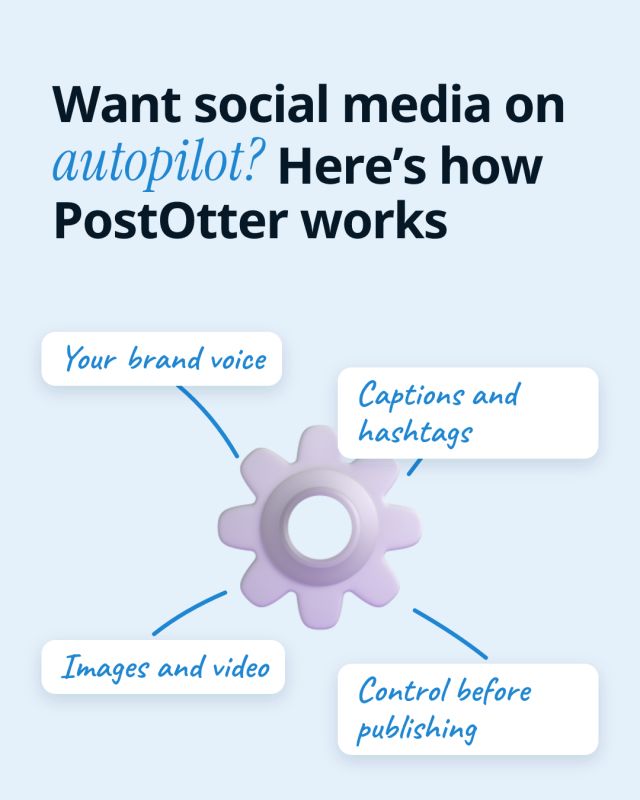
Annotated object
PostOtter · Carousel
◆ THE PROBLEM
You ship webhooks, not posts.
So your social presence is still in development.
Running a Shopify app business is a small software company squeezed into one or two people: API version upgrades every quarter, merchant support tickets at all hours, billing edge cases, the review queue for the next release, the App Store listing, and a competitor that just copied your best feature. Marketing beyond the listing is the job that never makes it out of the backlog.
01 ─
Support never sleeps
Merchants trade in every time zone, so the inbox is never empty. The hour you meant for a post goes to a store whose theme broke your app block.
02 ─
The listing can only do so much
App Store search and ads bring merchants who are already looking. The ones who would install next month have never heard of you, and nothing reaches them.
03 ─
Merchants check you're still around
An app touches a store's orders, so merchants look for signs of life before installing. A site with no recent posts anywhere reads like a side project about to be abandoned.
No marketing hire. No content calendar. No writing captions between deploys.
The steady posting is handled for $14.99 a month, so merchants keep hearing from you between releases.
◆ MADE BY POSTOTTER, FOR POSTOTTER
Real posts on our own accounts. Your free week looks like this.
Same brand, three different posts. Instagram and TikTok share the render; the captions don't. Each one is written native to the platform it's on, and the hashtags are weighted the way that platform's discovery actually works. That is why Instagram gets ten and X gets two.
Here is the plain version of what PostOtter does. 1) You drop in your website URL. PostOtter reads it to learn your brand voice, what you sell, and how you talk. 2) You connect your accounts. Instagram, TikTok, and X. That is it.
#socialmediamanager#marketingautomation#smallbusinessowner#solopreneur#founderlife#brandvoice#instagramreels#tiktokmarketing#PostOtter#PostOtterAISee it on InstagramYou're juggling a line out the door, and your “scheduler” is still waiting for you to write the post. That is not help. PostOtter learns your brand voice from your website, then creates, schedules, and publishes a post every day to X, Instagram, and TikTok.
#socialmediamarketing#smallbusinessowner#solopreneur#contentmarketing#instagramreels#tiktokmarketing#marketingautomation#PostOtterSee it on TikTok
You open a scheduler and it just stares back, waiting for a caption you don't have. So you post nothing. Again. PostOtter isn't a scheduler—it creates, schedules, and publishes daily to X/IG/TikTok (images + real Reels/TikTok video). Try it today.
#smallbusinessowner#PostOtterSee it on Xwe didn't lift a finger: no captions written, no hashtags picked, no content made, no times set, nothing published by hand
but every one of them was ours to change first: rewrite the caption, swap the hashtags, upload your own photo or video, move it to another day. and so is every post you get.
◆ HOW IT WORKS
Three boring steps.
Then it just runs.
Give it the app's website
Your own marketing site for the app. PostOtter reads it to learn what the app does for a merchant, the plans, the integrations and the way you explain it.
Link X, Instagram and TikTok
Instagram needs a Business or Creator profile, which is free to switch to. No TikTok yet? Open one whenever and connect it then.
Look over the week after standup
Drafts land days before they publish. Correct a plan name, add a screen recording from the admin, or let the queue run as it is.
◆ WHAT YOU ACTUALLY GET
No new dashboard to babysit. Marketing for the app, without a marketer on the partner payout.
A Shopify app solves a specific, nameable problem for a store owner: slow bulk edits, abandoned carts, messy shipping rules, upsells, reviews, subscriptions, translations. That specificity is a gift for social media, because every one of those problems is a post. The task that took an afternoon and now takes two clicks, the setting merchants never find, what to fix before peak season, how the app works with the theme they already have. PostOtter reads your app's website and turns that into a week of drafted posts, each with a visual. Add your own recordings of the app inside the Shopify admin whenever you have them; the rest is ready to publish.
SIX JOBS YOU HAND OVER
Posts written for merchants
Use cases, problems and how-tos in a store owner's language, taken from your own site rather than developer jargon.
Visuals with every draft
Each post comes with a graphic or short vertical video in the app's colours. Swap in an admin screen recording when you want to show the real interface.
Out on time, every time
Publishing uses the official X, Instagram and TikTok connections at your set times, in release weeks and support-heavy weeks too.
A week drafted in advance
The next batch is written before the current one ends, so an API upgrade or a holiday rush never leaves the accounts silent.
Releases become posts
A new integration, a new plan, a feature merchants asked for: describe it in a line, choose a date, and it is in the schedule.
Every draft open to edits
Rework copy, replace the visual, shift the date or delete the post. Review each one, or skim the queue and let it go.
◆ AND IT’S STILL YOURS
The app's voice stays with you. Any draft can be reworked before its slot: tighten the claim, replace the visual with a real admin screen, push it past the release or delete it if the feature slipped. Do nothing and the week still publishes.
◆ SEE IT RUN
◆ THE DETAIL
01 ─
Shopify app marketing beyond the App Store listing
Most marketing for Shopify apps starts and ends with the Shopify App Store listing: a good title, screenshots, a demo video, some reviews, maybe App Store search ads. That is the right place to start, because merchants who search the App Store are ready to install. It only reaches merchants who are already searching, though.
Social media reaches the rest: store owners who have the problem but have not gone looking yet, and agencies and freelancers who recommend apps to their clients. A merchant who has seen your app solve something a few times recognises the name when it turns up in search. PostOtter keeps that recognition building with a post most days, while your time stays on the product and the support queue.
02 ─
How to market a Shopify app on Instagram, TikTok and X
Merchants are on all three, for different reasons. Instagram is where a lot of store owners run their own brand, so they understand it, and carousels that teach one store task land well there. TikTok has a large audience of ecommerce founders swapping tactics, and a short video of a store chore getting faster is native to it.
X is where Shopify developers, agencies and ecommerce operators talk shop: releases, platform changes, what is working this season. Short posts fit there. PostOtter writes each network its own version from the same idea and makes vertical videos whose on-screen text works with the sound off. Your own screen recordings can go into the same calendar.
03 ─
Shopify app marketing that stays accurate
Apps change constantly: a plan is renamed, a limit moves, a feature becomes paid, a new API version changes what is possible. Every draft is ready days before its slot, so when something changes you can edit or delete the post and nothing out of date reaches a merchant.
Claims to merchants deserve care too. A post promising a conversion lift or extra revenue is an advertising claim like any other and needs to be supportable. Shopify publishes brand guidelines for partners, and its App Store rules do not allow manipulated reviews. PostOtter writes from your own site and never invents merchants, reviews, install counts, revenue figures or case studies.
A generated visual is an illustration, not your admin screen. When a post shows the interface, use a real recording.
04 ─
For Shopify app developers, studios and theme makers
Solo Shopify app developers, small app studios, agencies with a public app on the side and theme developers all set up the same way: a website about the app, three accounts and a schedule. If you are still at the stage of deciding to build a Shopify app, the posts can start before launch, so there are people waiting when the listing goes live.
Studios with several apps can run each as its own brand with separate accounts and a separate voice. PostOtter is not an App Store tool: it does not edit your listing, manage search ads, read install numbers or collect reviews. It does not post to Facebook Pages or LinkedIn either, and it has no DM inbox.
If you are a merchant who landed here looking for a marketing app for your store, the ecommerce page is the one for you.
See your own week before you decide.
Give PostOtter your website and it drafts a week of posts for Instagram, TikTok and X. Look it over, edit anything, and let it publish — the first week is free.
05 ─
Shopify app launch, and the months after it
A Shopify app launch tends to be quiet. The listing goes live, a few merchants find it through search, and the developer goes back to fixing what those merchants report. There is rarely a launch moment to build on, which makes steady posting more important, not less.
PostOtter covers the months after: explaining the app from a new angle each week, marking each release, and staying visible through peak season, when merchants install the most and developers have the least time. Pair it with Shopify App Store SEO on the listing and the two work on different halves of the same funnel.
06 ─
A scheduler for Shopify app marketing that writes the posts
Scheduling tools open on an empty calendar. The posts still need planning, writing and a visual, and at a one-person app company that is the same person reviewing the next API version.
PostOtter opens with the week filled: each day carries a caption, a visual and a time, ready to drag, rewrite or delete. It is a plain scheduler too: upload a release video or a thread you wrote, choose the time, and it publishes beside the drafts.
07 ─
Setting it up
Sign up, enter the app's website and connect X, Instagram and TikTok. There is no App Store connection to authorise and no plan to write first.
PostOtter reads the site and drafts the first week. Check plan names and any numbers, add an admin recording if you have one, and let it publish. Each new week is drafted before the last one finishes.
One plan covers it: $14.99 a month for the three networks after the free week, and no card is needed to begin.
◆ SIDE BY SIDE
A scheduler vs Shopify app marketing on autopilot
Posting at quarter past ten on a Wednesday is the easy part for any tool. What matters to an app developer is who writes the post, where the visual comes from, and whether the account survives a release week.
| PostOtter | A typical social media scheduler | |
|---|---|---|
| Writing the post | Drafted from your app's site | You write each one |
| Visuals and video | Made per post, or your recordings | Bring your own |
| App Store listing and ads | Not touched | Not touched |
| Release and peak weeks | Posts keep publishing | Account goes quiet |
| Weekly effort | Check claims, skim, done | Plan, write, design, schedule |
| Editing before publishing | Every draft open to edits | Yes |
| X, Instagram and TikTok | All three, one price | Often per channel |
| Price | $14.99/mo, first week free | Free to ~$15+ per channel |
Compared with scheduling tools as a category, not a named product; features and prices change. Checked 2026-11-03.
◆ PRICING
One plan. No tiers, no add-ons.
The smartest employee you'll never have to manage.
Autopilot
One brand. Three platforms. Every single day.
first week free
≈ 50¢ a day · a post every day
EVERYTHING INCLUDED
no card to start · cancel anytime

◆ THAT’S THE WHOLE PITCH
Handle the webhooks. We'll handle the posts.
Your marketing finally gets a stable release.
Your app's website becomes a week of posts for X, Instagram and TikTok, published while you build and answer merchants. Free for the first week, then $14.99 a month; no card to start.
◆ QUESTIONS
Shopify app marketing questions
Can a Shopify app's social media run on autopilot?
Yes. PostOtter learns the app from its website, drafts merchant-facing posts with visuals, and publishes them to X, Instagram and TikTok on your schedule. Any draft can be changed before it goes out, and your own videos fit in the same calendar.
Does it connect to the Shopify App Store or Partner Dashboard?
No. It does not edit your listing, run App Store ads, read installs or collect reviews. It covers social media, alongside the listing work you already do.
Can I post recordings from the Shopify admin?
Yes, and to show the interface you should. Upload a recording or screenshot and it publishes with that day's caption; posts without one carry a branded graphic or short video.
Will it promise merchants results my app can't back up?
Posts are written from the claims on your own site, and PostOtter never invents merchants, reviews, install counts or revenue. Check any numbers before they publish.
Is it worth it before the app has many installs?
That is when it helps most. At $14.99 a month it is a small fixed cost, and it starts building recognition before the listing has reviews to do it.
Which networks does it post to?
X, Instagram and TikTok. Facebook Pages and LinkedIn are not supported, and there is no direct-message inbox.
I'm a merchant looking for a marketing app. Is this it?
PostOtter works for stores too. The ecommerce page explains how it handles product posts for Shopify stores.
What does it cost?
$14.99 a month for X, Instagram and TikTok together. The first week is free and needs no card.
◆ RELATED