◆YOU RUN THE BUSINESS.
WE RUN THE CONTENT.
Chrome extension marketing on autopilot.
Creates. Schedules. Publishes. So you can focus on what you do best.
PostOtter writes and publishes posts about your browser extension or plugin to X, TikTok and Instagram, so you can spend the evening on the code. It learns the product from its web page, makes an image or short vertical video for every draft, and posts at your times. $14.99 a month, first week free.

“one click and every tab you forgot about is saved”
◆ MADE FOR YOUR BRAND
Videos like these, for your brand.
Without lifting a finger.






Intro reel
PostOtter
Step walkthrough
Docio
Word swap
ParlApp
Colour blocks
PostOtter · Carousel
On/off toggles
PostOtter
Ticked checklist
Docio
One big number
BulutDC · Turkish

Seamless path
Docio · Carousel
Hassles crossed out
PostOtter
Text-message thread
Docio
Big-word flash
BulutDC · Turkish

Scrapbook
ParlApp · Carousel
Before/after swipe
PostOtter
Your site, live
Docio
Search-bar close
BulutDC · Turkish
Pick an emoji
Docio · Carousel
Notification stack
ParlApp
One word per cut
Docio
Six-second bumper
PostOtter

Phone cards
ParlApp · Carousel
Diagonal collage
BulutDC · Turkish
All in one box
BulutDC · Turkish
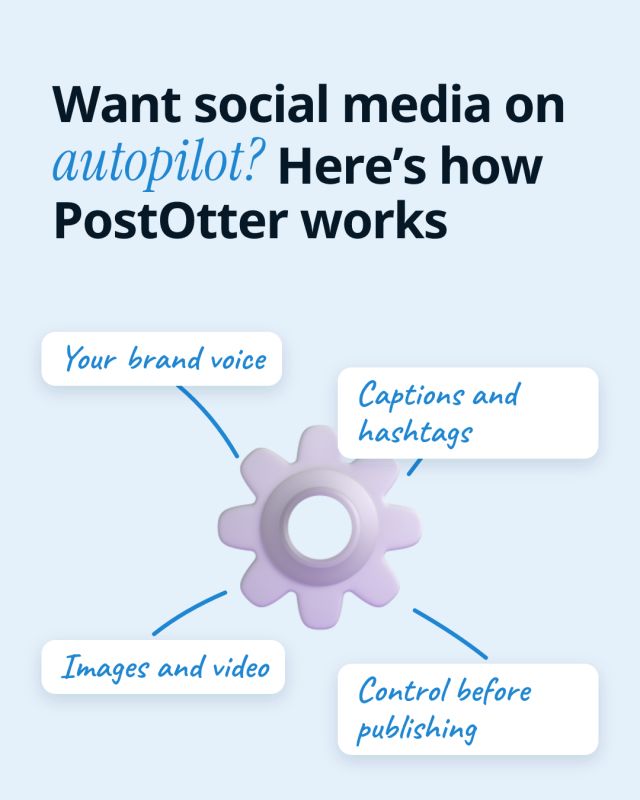
Annotated object
PostOtter · Carousel
◆ THE PROBLEM
You ship extensions, not posts.
So your marketing is still waiting for review.
Extensions and plugins are the side projects of the software world: built in evenings, used every day by people who forget they installed them. Then the maintenance arrives. Store reviews that take days, a Manifest V3 migration, a WordPress release that breaks a hook, a support forum, a site that changed its markup and broke your content script. Telling anyone the thing exists comes last, every time.
01 ─
Maintenance eats the evenings
The hours you have go to compatibility fixes and store resubmissions. There is nothing left for planning a post, recording a demo and publishing it on three networks.
02 ─
Store search is a lottery
Directory search rewards what is already popular. A new extension or plugin with a handful of users rarely surfaces, however good it is.
03 ─
Users check for signs of life
An extension can read pages and a plugin runs on someone's site. Before installing, people look for an active developer, and a dead account makes them pick the one with recent updates.
No marketing hire. No content calendar. No posting from the store review queue.
For $14.99 a month the posting keeps going, so people keep finding out your extension exists.
◆ MADE BY POSTOTTER, FOR POSTOTTER
Real posts on our own accounts. Your free week looks like this.
Same brand, three different posts. Instagram and TikTok share the render; the captions don't. Each one is written native to the platform it's on, and the hashtags are weighted the way that platform's discovery actually works. That is why Instagram gets ten and X gets two.
Here is the plain version of what PostOtter does. 1) You drop in your website URL. PostOtter reads it to learn your brand voice, what you sell, and how you talk. 2) You connect your accounts. Instagram, TikTok, and X. That is it.
#socialmediamanager#marketingautomation#smallbusinessowner#solopreneur#founderlife#brandvoice#instagramreels#tiktokmarketing#PostOtter#PostOtterAISee it on InstagramYou're juggling a line out the door, and your “scheduler” is still waiting for you to write the post. That is not help. PostOtter learns your brand voice from your website, then creates, schedules, and publishes a post every day to X, Instagram, and TikTok.
#socialmediamarketing#smallbusinessowner#solopreneur#contentmarketing#instagramreels#tiktokmarketing#marketingautomation#PostOtterSee it on TikTok
You open a scheduler and it just stares back, waiting for a caption you don't have. So you post nothing. Again. PostOtter isn't a scheduler—it creates, schedules, and publishes daily to X/IG/TikTok (images + real Reels/TikTok video). Try it today.
#smallbusinessowner#PostOtterSee it on Xwe didn't lift a finger: no captions written, no hashtags picked, no content made, no times set, nothing published by hand
but every one of them was ours to change first: rewrite the caption, swap the hashtags, upload your own photo or video, move it to another day. and so is every post you get.
◆ HOW IT WORKS
Three boring steps.
Then it just runs.
Give it the extension's page
A landing page for the extension or plugin, even a single one. PostOtter reads it to learn what it does, which browsers or platforms it runs on, the free and paid parts, and your tone.
Connect where your users scroll
X, TikTok and Instagram. Instagram wants a Business or Creator profile, which costs nothing to switch to. Skip any network now and add it later.
Check it in the time a build takes
Drafts are ready days before they post. Fix a feature name, drop in a clip of the popup working, or let the week publish untouched.
◆ WHAT YOU ACTUALLY GET
No new dashboard to babysit. Marketing for a small product, at a small product's price.
Extensions are perfect social media material, and almost nobody posts about theirs. Each one removes a small, specific annoyance: the tab hoarding, the copy-paste between two apps, the cookie banner, the form you fill in every day, the screenshot you always crop. A ten-second clip of that annoyance disappearing is exactly what people share on TikTok and X. PostOtter reads your extension's page and drafts a week of posts from it: the annoyance, the shortcut, the workflow, the setting people miss, the honest note about what it can and cannot see. Add recordings of the extension working whenever you capture them; the rest is ready to publish.
SIX CHORES YOU HAND OVER
Posts about the annoyance you fix
Written from your own page in your voice: the problem, the one-click fix, who it is for, what it works with.
A picture or clip for each post
Every draft comes with a graphic or short vertical video in your colours. Swap in a capture of the real popup when you want people to see it work.
Posts go out on time
Publishing runs through the official X, TikTok and Instagram connections at the times you set, including the weeks you are stuck in a store review.
A week drafted ahead
The next batch is written before this one runs out, so a breaking browser update never leaves the account empty.
Updates in a line
Firefox support, a new shortcut, a pro tier: describe it in a sentence, pick a date, and it joins the queue.
Every draft open to edits
Change words, visuals or timing, or remove a post. Read each one, or glance at the week and leave it.
◆ AND IT’S STILL YOURS
You keep the final word. Until its slot, any draft can be rewritten, given a real screen capture instead of the generated visual, pushed back until the store approves your update, or thrown away. Leave the queue and the week still goes out.
◆ SEE IT RUN
◆ THE DETAIL
01 ─
How to market a Chrome extension when store search won't
The Chrome Web Store, the Firefox add-ons site and the WordPress plugin directory all send most of their traffic to products that are already popular. A new extension with fifty users has to be found somewhere else first, and then the store converts the visit.
That somewhere else is usually social media: a clip of the extension doing its one job, posted where people complain about that job. Chrome extension marketing done this way is less about one viral post and more about steady exposure, so the people with that annoyance eventually see the fix. PostOtter keeps the posts coming while you work on the extension itself, and every post can send people to the store listing.
02 ─
Chrome extension marketing on X, TikTok and Instagram
TikTok and Instagram Reels are where productivity tools spread fastest outside tech circles: a short screen recording, on-screen text that works muted, and a clear before and after. PostOtter makes vertical videos for both, and your own screen captures can go into the same calendar.
X reaches the early adopters, developers and productivity people who install new extensions for fun and tell others when one is good. PostOtter writes a separate X version of each post rather than reusing the Instagram caption. LinkedIn and Facebook Pages are not supported.
03 ─
Extension marketing that respects privacy and permissions
An extension asks for permissions, and users read them. If a post says the extension never reads your data, that has to match what the store listing discloses and what the code actually does. The Chrome Web Store requires extensions to disclose how they handle user data, and a post that contradicts the disclosure does more harm than no post at all.
That is one reason every draft waits in the queue before its slot: check privacy and permission claims, fix anything a recent update changed, or delete the post. PostOtter writes from your own page and never invents user counts, ratings, reviews or press mentions.
A generated visual is an illustration. When a post shows the extension working, use a real capture, because people will compare it with what they see after installing.
04 ─
WordPress plugin marketing
WordPress plugin marketing has the same shape: a free version in the directory, a paid version or add-ons sold from your own site, and a market where active installs and recent updates decide what people trust. The audience is site owners, freelancers and agencies who build sites for clients.
PostOtter drafts posts from your plugin's own site: the problem it solves for a site owner, setup in a few steps, how it plays with popular themes and builders, what the paid version adds. Keep upsell claims honest; WordPress.org has its own guidelines for plugins in the directory, and users notice a free version that exists only to nag.
See your own week before you decide.
Give PostOtter your website and it drafts a week of posts for Instagram, TikTok and X. Look it over, edit anything, and let it publish — the first week is free.
05 ─
For Chrome, Firefox and Edge extensions, and plugins for WordPress, Figma and VS Code
Browser extensions for Chrome, Firefox, Edge and Safari, WordPress plugins, Figma plugins, VS Code extensions, Raycast extensions and similar small add-ons all set up the same way: one web page about the product, three social accounts and a schedule. The page can be modest; a single landing page with a clear description is enough to start.
If you ship several extensions, run each as its own brand with its own accounts. PostOtter does not manage store listings, read install numbers, reply to reviews or touch your code, and it has no inbox for direct messages. For Shopify apps there is a separate page.
06 ─
Make money with a Chrome extension: users first
Most guides on how to make money with a Chrome extension cover the pricing model: freemium, a one-off licence, a subscription for the pro features. All of them need the same thing first, which is enough users that a few percent paying adds up. Monetising a Chrome extension with a few dozen users is a rounding error whichever model you choose.
The Chrome extension business that works is usually a long, boring stretch of growing installs. PostOtter covers the part of that stretch that falls off first, the regular posting, for $14.99 a month.
07 ─
A plugin marketing scheduler that fills itself
An ordinary scheduler gives you an empty week and waits. The posts still have to be thought up, written and illustrated, and for a one-person extension that competes with the bug that just landed in the support forum.
PostOtter hands you a week that is already full, a caption, visual and time per day, ready to move, rewrite or delete. You can also use it as a plain scheduler for your own clips and announcements, published alongside the drafts.
08 ─
Getting started
Sign up, enter the extension's page and connect X, TikTok and Instagram. There is no store account to link and no plan to write first.
PostOtter reads the page and drafts the first week. Check feature names and any privacy claims, add a capture of the extension in use if you have one, and let it run. Each new week is drafted before the last one ends.
The price is one plan, $14.99 a month for all three networks after the free week, and you can start without a card.
◆ SIDE BY SIDE
A scheduler vs extension marketing on autopilot
Posting at twenty past eleven on a Saturday is something any tool can do. For a solo extension developer, what matters is who comes up with the post, where the visual comes from, and whether anything goes out during a week of store resubmissions.
| PostOtter | A typical social media scheduler | |
|---|---|---|
| Writing the post | Drafted from your extension's page | You write each one |
| Visuals and video | Made per post, or your captures | Bring your own |
| Store listing and reviews | Not touched | Not touched |
| Maintenance weeks | Posts keep publishing | Account goes quiet |
| Weekly effort | Check claims, glance, done | Plan, write, record, schedule |
| Editing before publishing | Every draft open to edits | Yes |
| X, TikTok and Instagram | All three, one price | Often per channel |
| Price | $14.99/mo, first week free | Free to ~$15+ per channel |
Compared with scheduling tools as a category, not a named product; features and prices change. Checked 2026-11-04.
◆ PRICING
One plan. No tiers, no add-ons.
The smartest employee you'll never have to manage.
Autopilot
One brand. Three platforms. Every single day.
first week free
≈ 50¢ a day · a post every day
EVERYTHING INCLUDED
no card to start · cancel anytime

◆ THAT’S THE WHOLE PITCH
Fix the content script. We'll write the content.
Your marketing finally gets installed.
Your extension's page becomes a week of X, TikTok and Instagram posts, published while you maintain it. Free for the first week, then $14.99 a month; no card to start.
◆ QUESTIONS
Extension and plugin marketing questions
Can a browser extension's social media run on autopilot?
Yes. PostOtter learns the extension from its web page, drafts posts with a visual for each, and publishes to X, TikTok and Instagram on your schedule. You can edit any draft before it goes out and add your own clips to the same calendar.
Do I need a website, or is the store listing enough?
PostOtter learns from a web page you own, so a simple landing page for the extension is best. It does not connect to the Chrome Web Store or the WordPress plugin directory.
Can I post screen recordings of the extension?
Yes, and you should whenever a post shows it working. Upload the capture and it goes out with that day's caption; posts without one get a branded graphic or short video.
Will the posts make privacy claims I can't back up?
Posts are written from your own page, and PostOtter never invents users, ratings or reviews. Check any privacy or permission claims against your store disclosure before they publish.
Does it work for WordPress plugins?
Yes. WordPress plugins, Figma plugins, VS Code extensions and other add-ons set up the same way, with a web page to learn from and three accounts to post to.
Is it worth $14.99 a month for a small extension?
If the extension earns little yet, steady exposure is what changes that. It is a flat price for three networks with no setup, and the first week is free to see the drafts.
Which networks does it post to?
X, TikTok and Instagram. LinkedIn and Facebook Pages are not supported, and there is no direct-message inbox.
What does it cost?
$14.99 a month for X, TikTok and Instagram. The first week is free and no card is needed to start.
◆ RELATED